code2doc · 代码反向生成交付文档
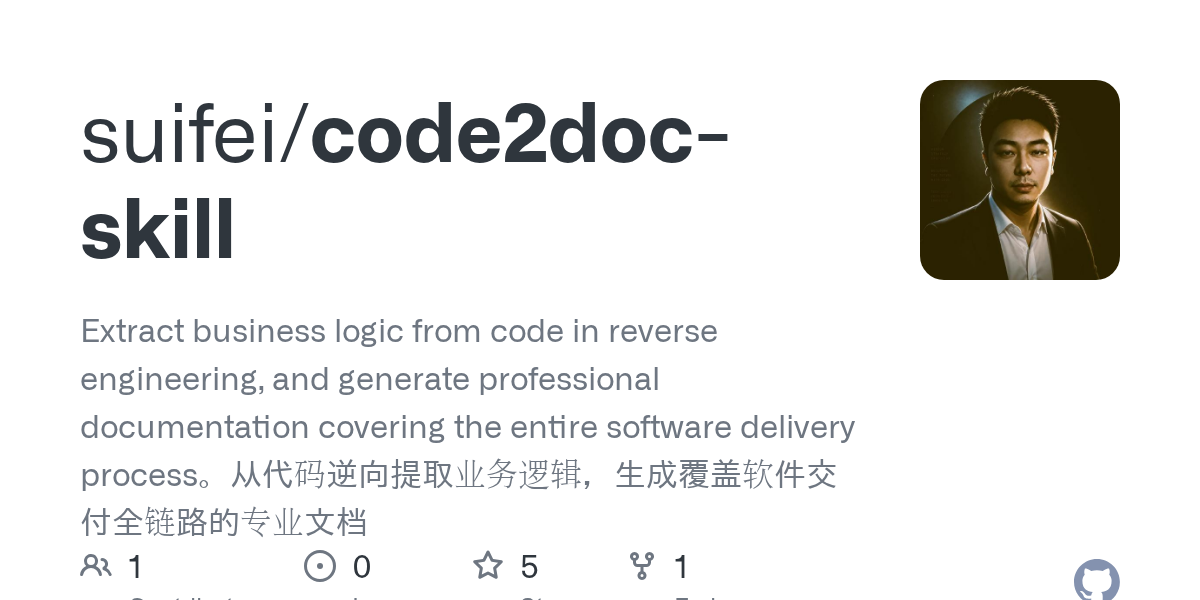
以代码为事实源,反向恢复业务逻辑并生成软件交付全链路文档。
01 / PROJECT OVERVIEW
项目研究解读
code2doc 面向文档长期落后于代码的现实问题,把代码仓库当作唯一事实源,反向生成 BRD、MRD、需求、架构、测试和交付等 12 类标准文档。它不仅是一份提示词,还附带探索策略、分析维度、文档结构和反向同步规范,适合接入 Claude Code、OpenCode、Cursor 与 ClawHub。
02 / CORE CAPABILITIES
值得关注的能力
- 01
覆盖软件交付生命周期的 12 类文档
- 02
先探索证据再写文档,降低空泛总结
- 03
支持文档反向校准,持续减少文档漂移
- 04
提供中英文说明与 SDLC 覆盖图
03 / ENGINEERING
工程与仓库结构
仓库以 多语言/文档 为主要实现语言,研究快照包含 12 个文件、6 个主要顶层入口。已提供 README 作为使用与能力说明。 项目最近更新时间为 2026-11-02,许可标记为 MIT License。
项目文件与实现资料
项目文件与实现资料
项目文件与实现资料
项目文件与实现资料
演示、模型或静态资源
方法规范与参考知识
04 / USE CASES
适合用在哪里
- 遗留系统业务梳理
- 项目交接与交付材料补齐
- 企业知识库和代码文档同步
05 / QUICK START
从仓库开始
以下命令摘自项目 README 或根据仓库地址生成。请先阅读源仓库的安装要求、许可和脚本,再在自己的环境中运行。
# Run in project root
mkdir -p .claude/skills
git clone https://github.com/suifei/code2doc .claude/skills/code2doc
06 / REPOSITORY MAP
目录证据导览
这里列出快照中的前 12 个索引文件中的代表路径,帮助你快速定位源码、文档、测试与资源。
.gitignoreLICENSEREADME.mdREADME.zh-CN.mdSKILL.mdassets/coverage-map.svgassets/coverage-map.zh-CN.svgreferences/analysis-dimensions.mdreferences/document-structure.mdreferences/document-types.mdreferences/exploration-strategy.mdreferences/reverse-sync.md
07 / SOURCE NOTES
README 原文摘录
保留原始说明便于复核。中文研究结论以当前快照为依据,后续变化请以 GitHub 仓库为准。
English | 中文
🔍 code2doc
Reverse-engineer business logic from code. Generate professional documentation covering the entire software delivery lifecycle.
[[图片] License: MIT](LICENSE) [[图片] Claude Code](https://docs.anthropic.com/claude-code) [[图片] OpenCode](https://opencode.ai) [[图片] Cursor](https://cursor.sh) [[图片] ClawHub](https://clawhub.ai/suifei/lang-migration)
Documentation drift is entropy, not negligence. Code has CI/lint/compiler errors as feedback loops — documentation has none, so it inevitably rots. code2doc is the solution: treat code as the single source of truth, and continuously generate or calibrate documentation.
ClawHub: https://clawhub.ai/suifei/code-to-doc-generator
Skillhub:https://skillhub.cn/skills/code-to-doc-generator
Coverage
[图片] code2doc SDLC coverage map
What It Does
Given any code repository (web, backend services, mobile, desktop), code2doc can reverse-engineer and generate 12 standard software delivery documents:
| Phase | Document Type | Target Audience |
|---|---|---|
| Initiation | BRD (Business Requirements) · MRD (Market Requirements) | Executives, Investors |
| Requirements | PRD (Product Requirements) | Product Managers, Tech Leads |
| Architecture | HLD (High-Level Design) · DDD (Domain-Driven Design) | Architects, Tech Leads |
| Implementation | LLD (Low-Level Design) · Coding Guidelines | Developers |
| Verification | Test Documents (BDD/SIT/E2E/UAT) | QA Engineers |
| Operations | Ops Manual · Admin Quick Reference · SLI/SLO Monitoring | Ops Staff, SRE |
| Release | CI/CD Pipeline Documentation | DevOps Engineers |
Core Features
- Code as Truth: All content is extracted directly from code. Inferences are marked with
〔INFER〕, code facts are traced with〔FACT|file:line〕 - Audience-Adaptive: Ops manuals avoid technical jargon; HLD/LLD retain precise engineering language; BRD/MRD are fully business-oriented for executives
- Reverse Sync: Run
Reverse Sync Modeafter code changes to automatically detect documentation drift and calibrate - Rigorous Structure: Ops documents require 🔗 prerequisite dependency chains + 📊 impact tracking matrices (including underlying algorithm/strategy names)
- Any Tech Stack: Go · Python · Node.js · Java · Swift · Kotlin · Flutter · React · Vue · Electron
Installation & Usage
Claude Code (Recommended)
Claude Code is Anthropic's official CLI tool with native skill format support.
Option A: Project-Level (current project only)
# Run in project root
mkdir -p .claude/skills
git clone https://github.com/suifei/code2doc .claude/skills/code2doc
Add to your project's CLAUDE.md:
## Skills

@.claude/skills/code2doc/SKILL.md
Option B: Global (all projects)
mkdir -p ~/.claude/skills
git clone https://github.com/suifei/code2doc ~/.claude/skills/code2doc
Add to ~/.claude/CLAUDE.md:
## Skills

@~/.claude/skills/code2doc/SKILL.md
Usage:
# Generate an operations manual
> Generate operations manual

# Generate HLD
> Write HLD for me

# Reverse sync — code changed but docs are out of date
> Sync documentation
OpenCode
OpenCode supports the same skill directory structure as Claude Code.
# Clone to OpenCode's skills directory
mkdir -p ~/.opencode/skills
git clone https://github.com/suifei/code2doc ~/.opencode/skills/code2doc
Register in ~/.opencode/config.toml:
[[skills]]
path = "~/.opencode/skills/code2doc/SKILL.md"
Or via the OpenCode UI: Settings → Skills → Add from path
Usage: Type /code2doc in the chat or directly describe your documentation needs.
Cursor
Cursor loads rules from the .cursor/rules/ directory (.mdc format).
# In project root
mkdir -p .cursor/rules

# Convert SKILL.md to Cursor rules format
curl -fsSL https://raw.githubusercontent.com/suifei/code2doc/main/SKILL.md \
  -o .cursor/rules/code2doc.mdc
Or manually:
- Open Cursor →
Cursor Settings→Rules for AI - Paste the contents of [
SKILL.md](./SKILL.md) into theUser Rulesarea - Request a document type directly in the chat:
Generate HLD for this projectGlobal rules (all projects):
Cursor Settings → General → Rules for AI → Paste SKILL.md contentCline / RooCode (VSCode Extensions)
Cline and RooCode support custom System Prompts.
- Open VSCode → Click the Cline/RooCode icon in the sidebar
- Click the settings gear →
Custom Instructions - Paste the full contents of [
SKILL.md](./SKILL.md) - Click save
Usage:
# Enter directly in the Cline chat
Generate operations manual

# Or specify modules
Generate LLD for user and channel modules
Continue.dev
Continue supports custom slash commands via config.json.
Edit ~/.continue/config.json:
{
  "customCommands": [
    {
      "name": "code2doc",
      "description": "Generate project documentation from code",
      "prompt": "{{{ input }}}\n\n---\n{{{ read_file '.claude/skills/code2doc/SKILL.md' }}}"
    }
  ]
}
Install the skill file:
mkdir -p .claude/skills
git clone https://github.com/suifei/code2doc .claude/skills/code2doc
Usage:
/code2doc Generate PRD for this projectWindsurf
Windsurf loads instructions via .windsurfrules files or global rules.
Project-level:
# Create rules file in project root
curl -fsSL https://raw.githubusercontent.com/suifei/code2doc/main/SKILL.md \
  -o .windsurfrules
Global:
Windsurf Settings→AI Rules- Paste the contents of [
SKILL.md](./SKILL.md)
Usage:
Generate HLDAny LLM Tool (Universal)
Use the contents of [SKILL.md](./SKILL.md) as a System Prompt. Works with any tool that supports custom System Prompts:
- ChatGPT / OpenAI API: Paste into System Message
- API calls:
import anthropic

with open("SKILL.md", "r") as f:
    skill_content = f.read()

client = anthropic.Anthropic()
message = client.messages.create(
    model="claude-opus-4-5",
    max_tokens=8192,
    system=skill_content,
    messages=[
        {"role": "user", "content": "Generate operations manual"}
    ]
)
File Structure
code2doc/
├── SKILL.md                    # Main skill file (4-round workflow + quality checks)
└── references/
    ├── document-types.md       # Section structure templates for 12 document types
    ├── document-structure.md   # Formatting specs for ops/admin manuals
    ├── analysis-dimensions.md  # Seven analysis dimensions (ops documents)
    ├── exploration-strategy.md # Code exploration strategy (scripts + high-info locations)
    └── reverse-sync.md         # Reverse sync protocol (documentation drift calibration)
Workflow
User specifies document type
       │
       ▼
  Round 1: Identify project type & entry points
  (Read root dir → Identify tech stack → Existing docs → Initial module list)
       │
       ▼
  Round 2: Structural scan & information skeleton extraction
  (Routes/menus → i18n strings → Data models → Permission rules → Business rules)
       │
       ▼
  Round 3: Per-module deep analysis
  (Analysis dimensions vary by doc type: steps/state impact/business rules/dependencies...)
       │
       ▼
  Round 4: Document generation
  (Template skeleton → Fill content → FACT/INFER annotations → Save)
       │
       ▼
  Post-completion: Documentation sync rule
  (Search related docs → Choose one: Consistent/Update/Adjudicate)
Reverse Sync Mode
Code changed but docs didn't keep up? Use reverse sync:
Code changed but docs are out of dateThe skill automatically enters Practice-as-Truth Reverse Sync mode:
- Build artifact inventory (distinguish PRACTICE vs DESCRIPTION)
- Full code review, extract FACTS + OBSERVATIONS
- Diff comparison (Consistent / Drifted / Missing / Zombie)
- Write back revisions
- Generate
OBSERVATIONS.md(issue tracking)
Quality Standards
| Check | Standard |
|---|---|
| Audience Fit | Language depth matches target readers (ops ≠ dev ≠ QA) |
| Annotation Completeness | Inferences have 〔INFER〕, code facts have 〔FACT|file:line〕; zero annotations = execution failure |
| Flowcharts | Multi-step operations / decision branches include Mermaid diagrams |
| Unambiguous Terminology | Technical terms are translated for the audience; BRD/MRD/PRD must not use raw terms like API/Token |
| Prerequisite Dependencies | Each chapter of ops documents has 🔗 dependency chains |
| Impact Matrix | Each chapter of ops documents has 📊 matrix with strategy names in column 4 |
| No "TBD" Promises | Uncertain items are resolved (pick one of three options); "follow up later" is prohibited |
License
MIT © suifei
KEEP EXPLORING
继续阅读同类作品。