asm2hex2
ASM2HEX 的 C++ 重构版,以 wxWidgets、Keystone 和 Capstone 支持多架构指令转换。
01 / PROJECT OVERVIEW
项目研究解读
ASM2HEX 的 C++ 重构版,以 wxWidgets、Keystone 和 Capstone 支持多架构指令转换。 本仓库以 C++ 为主要技术栈,当前快照索引 1145 个文件。报告依据README 与目录结构整理,重点呈现项目用途、工程结构和复用方式,不把宣传描述等同于验证结论。
02 / CORE CAPABILITIES
值得关注的能力
- 01
围绕“ASM2HEX 的 C++ 重构版,以 wxWidgets、Keystone 和 Capstone 支持多架构指令转换”提供公开实现或研究资料
- 02
以 C++ 为主,保留 1145 个可检查仓库文件
- 03
提供原始 GitHub 链接、目录导览和本地研究快照,便于复核与二次开发
03 / ENGINEERING
工程与仓库结构
仓库以 C++ 为主要实现语言,研究快照包含 1145 个文件、9 个主要顶层入口。已提供 README 作为使用与能力说明。 项目最近更新时间为 2026-10-26,许可标记为 未在 API 中声明。
项目文件与实现资料
项目文件与实现资料
项目文件与实现资料
项目文件与实现资料
项目文件与实现资料
项目文件与实现资料
04 / USE CASES
适合用在哪里
- 学习项目设计与实现
- 评估后用于二次开发
- 作为相关领域的研究参考
05 / QUICK START
从仓库开始
以下命令摘自项目 README 或根据仓库地址生成。请先阅读源仓库的安装要求、许可和脚本,再在自己的环境中运行。
# Windows (MinGW)
powershell -File scripts/build_win_static.ps1

# Linux (builds wx/keystone/capstone if missing)
./scripts/build_linux_static.sh
06 / REPOSITORY MAP
目录证据导览
这里列出快照中的前 1145 个索引文件中的代表路径,帮助你快速定位源码、文档、测试与资源。
.github/workflows/release-binaries.yml.gitignore.vscode/c_cpp_properties.json.vscode/launch.json.vscode/settings.json.vscode/tasks.jsonCMakeLists.txtDEVLOG.mdREADME.mdRELEASE_NOTES_v1.0.0.mdRELEASE_NOTES_v1.0.1.mdRELEASE_NOTES_v1.0.2.mdRELEASE_NOTES_v1.0.3.mdWXWIDGETS-VSCODE.mddep/capstone/include/capstone/arm.hdep/capstone/include/capstone/arm64.hdep/capstone/include/capstone/bpf.hdep/capstone/include/capstone/capstone.hdep/capstone/include/capstone/evm.hdep/capstone/include/capstone/m680x.hdep/capstone/include/capstone/m68k.hdep/capstone/include/capstone/mips.hdep/capstone/include/capstone/mos65xx.hdep/capstone/include/capstone/platform.hdep/capstone/include/capstone/ppc.hdep/capstone/include/capstone/riscv.hdep/capstone/include/capstone/sh.hdep/capstone/include/capstone/sparc.hdep/capstone/include/capstone/systemz.hdep/capstone/include/capstone/tms320c64x.hdep/capstone/include/capstone/tricore.hdep/capstone/include/capstone/wasm.hdep/capstone/include/capstone/x86.hdep/capstone/include/capstone/xcore.hdep/capstone/include/platform.hdep/capstone/include/windowsce/intrin.hdep/capstone/include/windowsce/stdint.hdep/keystone/include/keystone/arm.hdep/keystone/include/keystone/arm64.hdep/keystone/include/keystone/evm.hdep/keystone/include/keystone/hexagon.hdep/keystone/include/keystone/keystone.hdep/keystone/include/keystone/mips.hdep/keystone/include/keystone/ppc.hdep/keystone/include/keystone/sparc.hdep/keystone/include/keystone/systemz.hdep/keystone/include/keystone/x86.hdep/lib/osx/README.mddep/lib/osx/libcapstone.adep/lib/osx/libkeystone.adep/lib/win/README.mddep/lib/win/libcapstone.adep/lib/win/libkeystone.adep/macdep/win/include/msvc/wx/setup.hdep/win/include/wx/aboutdlg.hdep/win/include/wx/accel.hdep/win/include/wx/access.hdep/win/include/wx/activityindicator.hdep/win/include/wx/addremovectrl.hdep/win/include/wx/affinematrix2d.hdep/win/include/wx/affinematrix2dbase.hdep/win/include/wx/afterstd.hdep/win/include/wx/android/chkconf.hdep/win/include/wx/android/config_android.hdep/win/include/wx/android/setup.hdep/win/include/wx/anidecod.hdep/win/include/wx/animate.hdep/win/include/wx/animdecod.hdep/win/include/wx/any.hdep/win/include/wx/anybutton.hdep/win/include/wx/anystr.hdep/win/include/wx/app.hdep/win/include/wx/appprogress.hdep/win/include/wx/apptrait.hdep/win/include/wx/archive.hdep/win/include/wx/arrimpl.cppdep/win/include/wx/arrstr.hdep/win/include/wx/artprov.hdep/win/include/wx/atomic.hdep/win/include/wx/aui/aui.hdep/win/include/wx/aui/auibar.hdep/win/include/wx/aui/auibook.hdep/win/include/wx/aui/barartmsw.hdep/win/include/wx/aui/dockart.hdep/win/include/wx/aui/floatpane.hdep/win/include/wx/aui/framemanager.hdep/win/include/wx/aui/tabart.hdep/win/include/wx/aui/tabartgtk.hdep/win/include/wx/aui/tabartmsw.h
07 / SOURCE NOTES
README 原文摘录
保留原始说明便于复核。中文研究结论以当前快照为依据,后续变化请以 GitHub 仓库为准。
ASM2HEX Converter
The new version is refactored using C++ (cpp), while the original version was developed using Golang. A cross-platform GUI tool for converting between Assembly and Machine Code (Hex), powered by Keystone Engine and Capstone Engine.
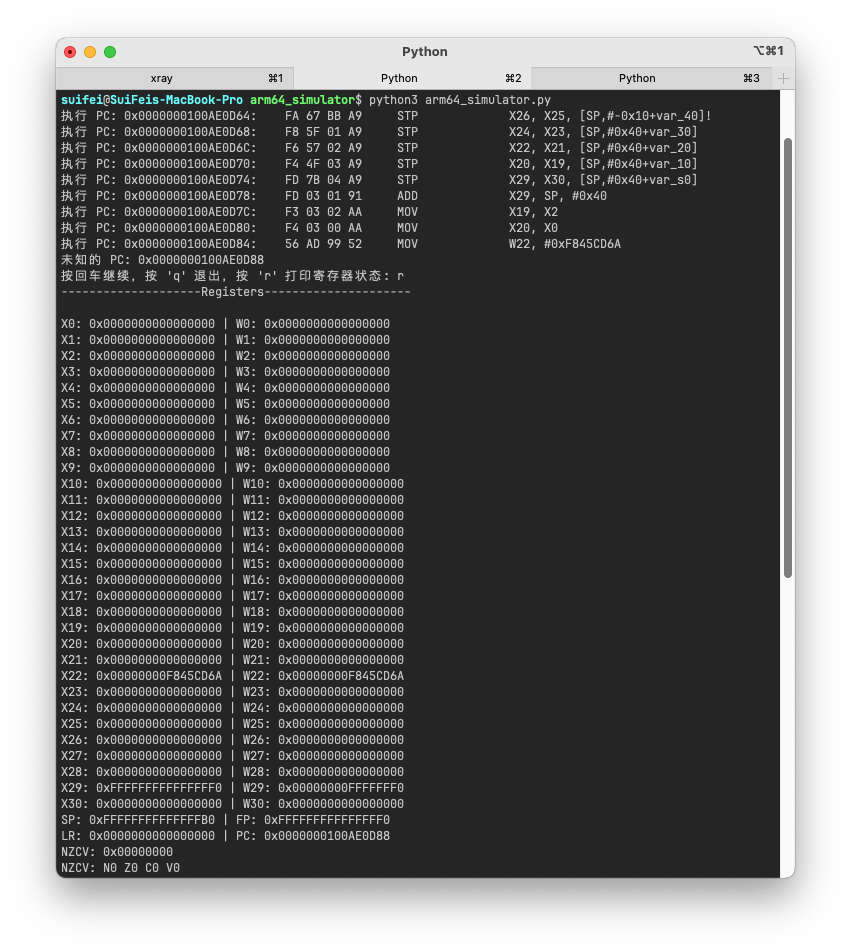
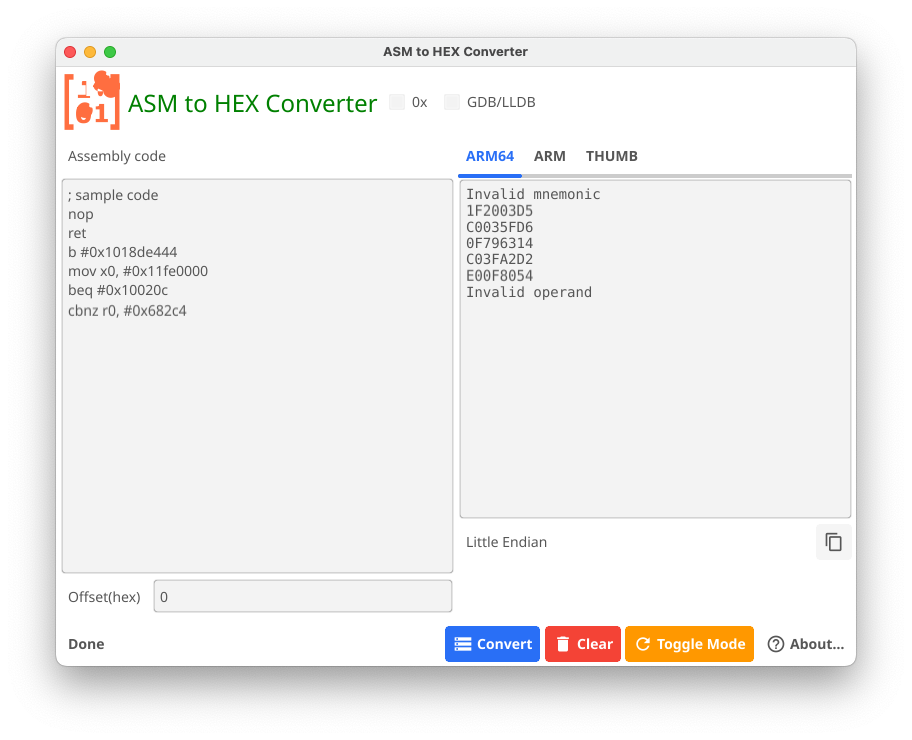
[图片] Screenshot [图片] Screenshot [图片] Screenshot [图片] Screenshot
Features
- Bi-directional Conversion: Convert between Assembly and Machine Code (Hex)
- Multi-Architecture Support:
- x86/x64
- ARM/ARM64
- MIPS
- PowerPC
- SPARC
- SystemZ
- And more...
- Detailed Instruction Information: View detailed instruction analysis when disassembling
- Syntax Highlighting: For both Assembly and Hex code
- Cross-Platform: Supports Windows and macOS/Linux
- User-Friendly Interface: Built with wxWidgets for native look and feel
[图片] Screenshot [图片] Screenshot
Usage
- Select your target architecture and mode
- Choose conversion direction (ASM to HEX or HEX to ASM)
- Enter your input code
- Click "Convert" to see the results
- View detailed instruction information in verbose mode
Options
- 0x: Display hex values with "0x" prefix
- Verbose: Show detailed instruction information
- GDB/LLDB: Use GDB/LLDB syntax style
- SKIPDATA: Continue disassembling after invalid instructions
Building from Source
Prerequisites
- CMake (3.x or later)
- C++ Compiler with C++11 support
- wxWidgets (3.x)
- Keystone Engine
- Capstone Engine
Windows
mkdir build
cd build
cmake ..
cmake --build .
macOS
mkdir build
cd build
cmake ..
ninja
Linux
- Build or place a static wxWidgets tree under
dep/linux/(seedoc/linux.pdf). - Install GTK3 and X11 development packages. Optionally install
libgspell-1-devif your wx build expects gspell. - Configure and build:
mkdir build
cd build
cmake .. -DCMAKE_BUILD_TYPE=Release
cmake --build .
Linux CMake notes (fixed in v1.0.1 / issue #2): src/cstool is on the include path; wx static archives are linked; gspell-1 is linked when found via pkg-config; Xxf86vm is linked.
Static prebuilt binaries (v1.0.2+)
Release assets ship static-linked executables:
| Platform | Asset (archives only) |
|---|---|
| Windows x64 | **ASM2HEX-win64.zip** (extract → ASM2HEX.exe) |
| Linux x64 | ASM2HEX-linux-x64.tar.xz |
| macOS arm64 | ASM2HEX-macos-arm64.tar.xz |
Bare .exe is not attached to Releases (zip only), which reduces browser/SmartScreen noise on download.
Windows Defender note: unsigned MinGW static builds may occasionally be flagged by ML heuristics (e.g.Trojan:Win32/Sabsik.FL.A!ml). This is a known class of false positives. Prefer GitHub Release zips; v1.0.3+ embeds version info/manifest and avoids full PE strip. SeeRELEASE_NOTES_v1.0.3.md.
Local static builds:
# Windows (MinGW)
powershell -File scripts/build_win_static.ps1

# Linux (builds wx/keystone/capstone if missing)
./scripts/build_linux_static.sh
Dependencies
- wxWidgets: Cross-platform GUI toolkit
- Keystone Engine: Assembler framework
- Capstone Engine: Disassembler framework
License
This project is licensed under the MIT License - see the LICENSE file for details.
Acknowledgments
- Keystone Engine team
- Capstone Engine team
- wxWidgets team
- All contributors and supporters
Author
suifei (c3VpZmUgQGdtYWlsIGRvdGNvbQ==)
QQ group:555354813
Contributing
Contributions are welcome! Please feel free to submit pull requests.
- Fork the repository
- Create your feature branch (
git checkout -b feature/amazing-feature) - Commit your changes (
git commit -m 'Add some amazing feature') - Push to the branch (
git push origin feature/amazing-feature) - Open a Pull Request
Support
If you encounter any issues or have questions, please open an issue.
KEEP EXPLORING
继续阅读同类作品。